I glanced out my kitchen window this morning and just happened to see our resident blue heron hanging out in the North field. I grabbed my camera (thinking all the time how lucky I was that I still had the zoom lens attached) and as I went out the door I was just in time to see him fly off behind the big barn. I headed to the barn and walked up the hay alley to see if I could find him on the other side, but darn it! he was gone.
I turned around to head back to the house.
To my surprise, as I stood there looking back up the alley I found a few things to see, and decided to put some of my new knowledge of the manual controls on my camera to the test. This is a very challenging setting -- the only light in the barn is natural daylight, and the openings to the outside make for horrible backlighting if you can't block them out of your photo.
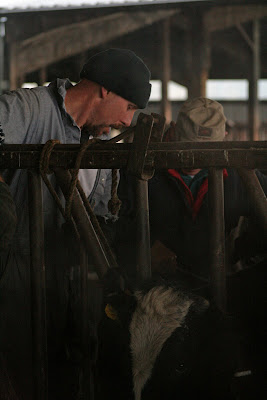
Jake and his Dad were working on a cow with a sore foot. She was quite grateful for the relief when they were finished, but at the time she was not a happy camper...
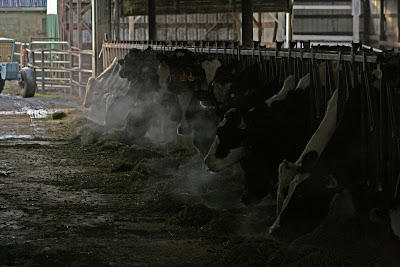
My presence was NOT helping, so I left them alone. As I continued to walk, the steam from these cows' breath caught my eye. (I should have used a slower shutter speed for this image, but I didn't have my tripod with me. Thank goodness for Photoshop -- I used Elements v6.0 to lighten the shadows just a little, tone down the glaring highlights, and bump down the midtone contrast. I think I might go back in and try to increase the color saturation as well...)
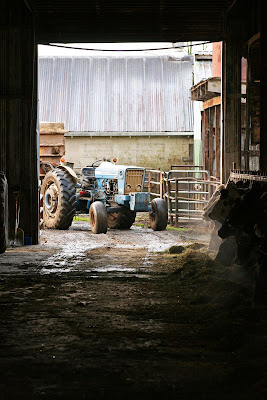
This last one is my favorite for today. The tractor and feedwagon were blocking just enough of the light coming in through the door to keep the backlighting down and make an interesting image. I used a commercial action called "sharp shot color pop" from
EZActions to finish. The difference between this image and the unedited photo is subtle, but very effective.
I'd love it if anyone following this challenge would share some of their favorite Photoshop toys and techniques. There is so much to play with out there!


